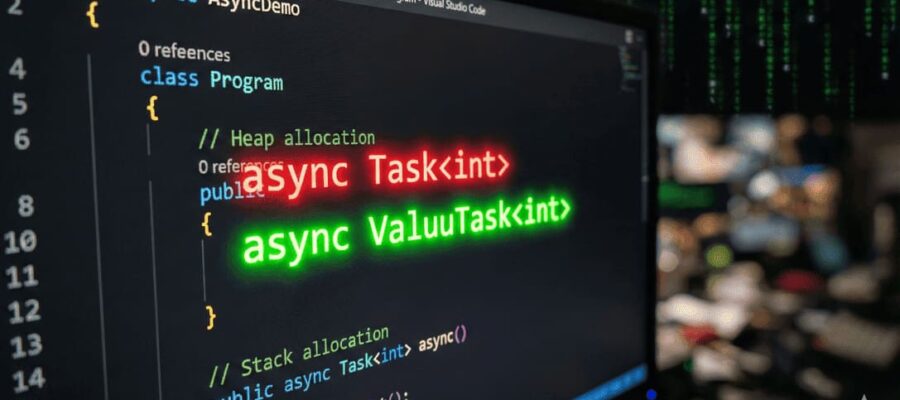
Async/await is everywhere in modern C# code. Most of the time we return Task or Task<T> from async methods and move on.
But if you’re working on high-performance code, you’ll eventually run into ValueTask and ValueTask<T>.
In this post, we’ll break down:
Table of Contents
What Is ValueTask in C#?
By default, async methods in C# return Task or Task<T>, which are reference types (classes) and live on the heap.
ValueTask and ValueTask<T> are value types (structs) that can represent:
- A result that has already completed synchronously
- Or a wrapped Task for true async work
- Or an advanced pooled source via IValueTaskSource
The main goal of ValueTask is:
Reduce allocations for async operations that often complete synchronously.
You get fewer Task allocations, which means lower GC pressure and better performance in hot paths.
A Realistic ValueTask Example: Caching User Data
Imagine a user repository that:
- Often returns data from an in-memory cache (fast, synchronous)
- Sometimes has to fetch from a database (true async)
Perfect scenario for ValueTask<T>.
using System;
using System.Collections.Concurrent;
using System.Threading.Tasks;

public class User
{
    public int Id { get; }
    public string Name { get; }

    public User(int id, string name)
    {
        Id = id;
        Name = name;
    }
}

public class UserRepository
{
    // In-memory cache
    private readonly ConcurrentDictionary<int, User> _cache = new();

    // Simulated underlying data source (e.g. DB)
    private readonly FakeDatabase _database = new();

    // ValueTask version
    public ValueTask<User> GetUserAsync(int userId)
    {
        // 1. Fast path: Cache hit (synchronous completion)
        if (_cache.TryGetValue(userId, out var cachedUser))
        {
            // No Task allocation here
            return new ValueTask<User>(cachedUser);
        }

        // 2. Slow path: Cache miss - fetch from DB (true async)
        return new ValueTask<User>(FetchAndCacheAsync(userId));
    }

    private async Task<User> FetchAndCacheAsync(int userId)
    {
        // Simulate async DB call
        var user = await _database.GetUserFromDbAsync(userId);

        // Update cache
        _cache[userId] = user;

        return user;
    }
}

// Simulated DB
public class FakeDatabase
{
    public async Task<User> GetUserFromDbAsync(int userId)
    {
        await Task.Delay(100); // Simulate IO latency
        return new User(userId, $"User_{userId}");
    }
}

// Example usage
public class Program
{
    public static async Task Main()
    {
        var repo = new UserRepository();

        // First call: cache miss -> DB accessed
        var user1 = await repo.GetUserAsync(1);
        Console.WriteLine($"Fetched: {user1.Name}");

        // Second call: cache hit -> completes synchronously
        var user2 = await repo.GetUserAsync(1);
        Console.WriteLine($"Fetched from cache: {user2.Name}");
    }
}
What’s Happening Here?
- On a cache hit:
- GetUserAsync returns new ValueTask<User>(cachedUser)
- No Task allocation, just a value-type wrapper with an already-completed result
- On a cache miss:
- GetUserAsync returns new ValueTask<User>(FetchAndCacheAsync(userId))
- It wraps an actual Task<User> from the async call
If we had used Task<User> as the return type, we would allocate a Task every time, even when the result was already available in memory.
Pros of ValueTask
1. Reduced Allocations in Hot Paths
If your method:
- Is called very frequently, and
- Often completes synchronously
then ValueTask<T> can:
- Reduce heap allocations
- Lower GC pressure
- Improve throughput (especially in server-side or library scenarios)
This is why you see ValueTask used in modern high-performance .NET APIs.
2. Can Represent Both Synchronous and Asynchronous Results
ValueTask<T> is flexible:
- You can construct it from a direct result:
return new ValueTask<int>(42);
Or from a Task<T>:
return new ValueTask<int>(DoAsyncWork());
Or from IValueTaskSource<T> (advanced scenario for pooling and custom schedulers)
3. Used in Modern BCL and ASP.NET Core Internals
You’ll find ValueTask in APIs such as:
- System.IO.Pipelines
- ChannelReader<T>.ReadAsync
- Various networking and I/O components
So understanding ValueTask helps when you work with newer .NET primitives.
Cons and Limitations of ValueTask
This is the critical part: ValueTask is powerful but has stricter rules than Task.
1. You Must Only Await It Once
A single ValueTask instance is not meant to be awaited multiple times.
❌ Incorrect usage:
ValueTask<int> vt = repo.GetCountAsync();

int a = await vt;
int b = await vt; // Not allowed - undefined behaviour
If you need to await multiple times, convert it to a Task once:
✅ Correct:
ValueTask<int> vt = repo.GetCountAsync();
Task <int> task = vt.AsTask();

int a = await task;
int b = await task; // This is fine
The same rule applies if you want to pass it to Task.WhenAll or Task.WhenAny. Convert to Task first.
2. More Complex Semantics Than Task
With Task, life is easy:
- You can await it multiple times
- You can pass it around without worrying about usage patterns
With ValueTask:
- It’s essentially a “single-use awaitable”
- You must be careful not to copy or reuse it incorrectly
- Misuse can cause subtle and hard-to-debug issues
For most application code, this extra complexity is not worth the micro optimisation.
3. Struct Overheads (Copying and Boxing)
Because ValueTask is a struct:
- Copies of the struct share the same underlying state
- Careless copying can lead to unexpected behavior if you treat each copy like a separate async operation
- If used with old APIs expecting object or non-generic interfaces, it can cause boxing overhead
In poorly written code, you can actually lose the performance benefits that ValueTask was supposed to give you.
4. Limited Benefit for “Normal” async Methods
Consider this method:
public async ValueTask<int> CalculateAsync()
{
    await Task.Delay(100);
    return 42;
}
Versus:
public async Task<int> CalculateAsync()
{
    await Task.Delay(100);
    return 42;
}
In most cases, the performance difference is negligible because:
- The async state machine already causes an allocation
- Returning ValueTask instead of Task rarely changes much here
The real wins come from patterns where you complete synchronously a lot of the time and can avoid allocating a Task altogether (like the cache example).
5. Readability and Ecosystem
- Most samples, blogs, and libraries use Task
- ValueTask in public APIs can surprise consumers
- It makes the mental model a bit heavier for normal developers
For most business applications, simplicity and maintainability are more important than squeezing out a tiny bit of performance.
Real-World Use Cases for ValueTask
So, where does ValueTask actually make sense?
✅ 1. High-Throughput, Low-Latency Components
Examples:
- Custom web servers or proxies
- Message brokers
- High-frequency I/O pipelines
When your method is called thousands or millions of times per second, every allocation matters.
✅ 2. Cache and In-Memory Data Access
- In-process caches
- Session stores
- Configuration providers
In these cases:
- Data is often already in memory
- You can produce a result synchronously
- ValueTask<T> helps you avoid Task allocations on the fast path
This is exactly like the UserRepository example earlier.
✅ 3. Channels, Pipelines, and Streams
Modern APIs like ChannelReader<T> and System.IO.Pipelines often return ValueTask because:
- Data may already be available
- They are designed for very high performance usage
If you’re building similar components, ValueTask is a good fit.
🚫 Where You Should Avoid ValueTask
- General business logic in web APIs or desktop apps
- Typical service methods calling EF Core / HTTP / external APIs
- Public API surfaces used by many teams where simplicity is critical
In these scenarios, stick to Task and only switch to ValueTask if profiling proves it’s necessary.
Quick Summary
- ValueTask / ValueTask<T> is a performance optimization tool, not a default replacement for Task.
- Pros: fewer allocations in hot paths, better performance when methods often complete synchronously.
- Cons: more complex semantics, “await only once”, struct pitfalls, minimal gains for normal async code.
- Use it for: high-performance libraries, caching, channels, pipelines.
- Stick with Task for: regular app/service code where clarity and safety matter more than micro-optimizations.
Final Thoughts
If you’re writing typical line-of-business applications, Task is almost always good enough.
If you’re writing:
- Frameworks
- Libraries
- High-performance infrastructure
then ValueTask is a powerful tool — as long as you respect its limitations and measure the impact.